


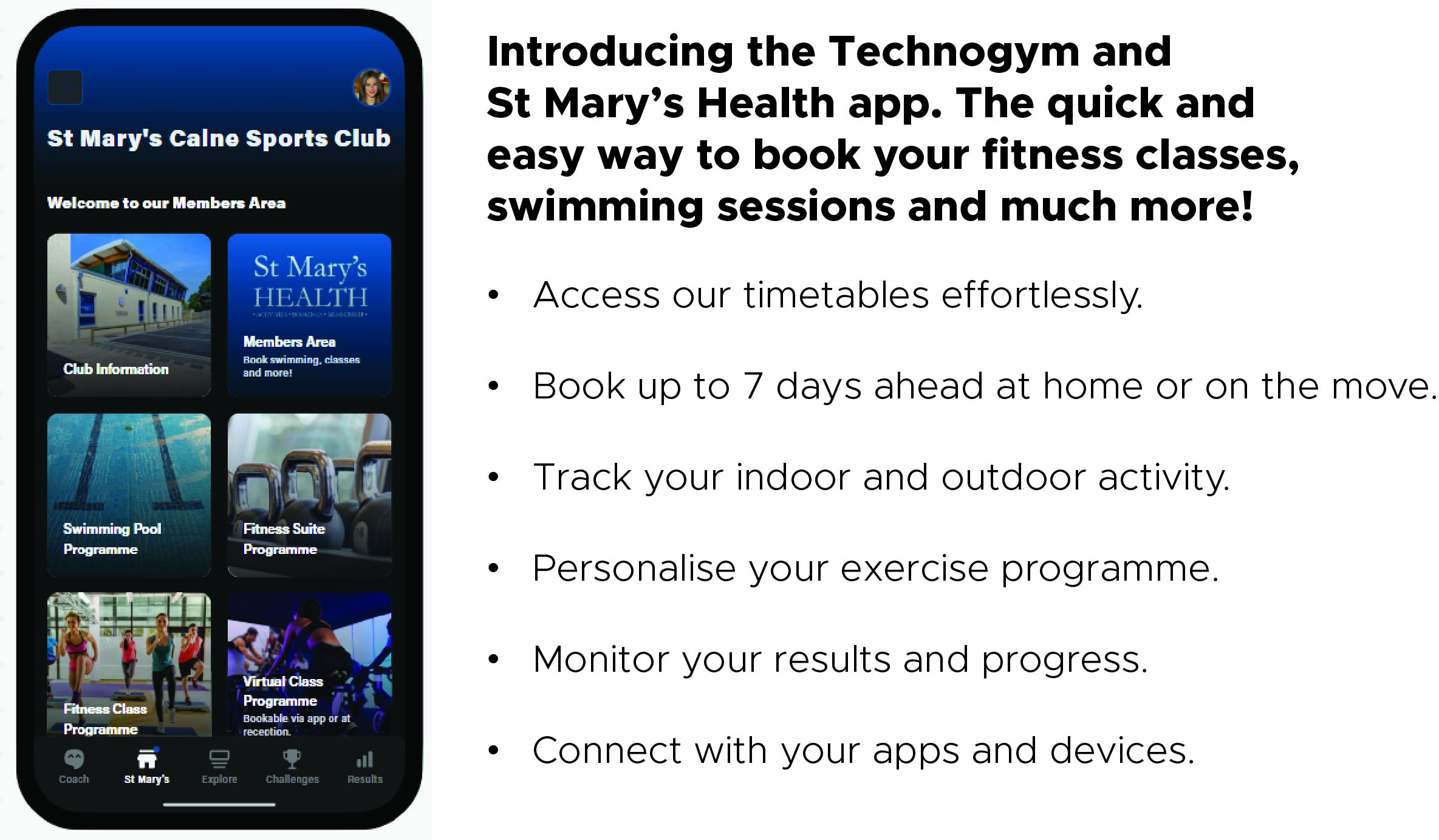
What is the Technogym and St Mary's Health App?
Using the app allows you to make all of your bookings at the touch of a button, including group exercise classes and swimming sessions. Gym sessions are not required to be pre-booked by club members.
The St Mary's Technogym App also helps to support your fitness journey, allowing you to sign in on the gym equipment and monitor your progress, create bespoke workout routines and track your indoor and outdoor activity.
Download the App

Setup Information and User Guide
Account Setup and Online Booking
How can I download the St Mary's Technogym App for the first time?
The app is available as a free download from the Apple (iOS) or Android (Google Play) store. Search for 'Technogym - fitness & workout' to get started.
What do I do next?
If you are downloading the St Mary's Technogym app for the first time then you will need to click 'Create an account'. Follow the steps until you can log in for the first time.
What is St Mary's Health Leisure Hub?
St Mary's Health Leisure Hub is our members only area, where you can make fitness class bookings, activity bookings, manage your membership and update your personal details, all in one place.
How do I make an online booking account?
Whilst using the Technogym app, select the St Mary's area at the bottom of your screen. You will then need to click on the 'St Mary's Health' icon and this will redirect you to our online bookings page. Scroll down to where it says 'I'm a member, but I need to create an online account'. Please note you will need your membership card number and email address to register a bookings account. This will need to be the email address you registered with us at the time of creating your membership.
Can I book for more than one person using my account, such as a family member?
No, each member who wishes to use our online booking system needs to have their own account, using a different email address and card number. Only users aged 16 or over are able to access our online booking system. Alternatively please call 01249 857335.
I think I've done it wrong..
No problem, one of our team can help. Please call us on 01249 857335 or email us on
I already have an account but want to use the new app.
Using the QR code, open your device camera and hover over the QR code until you are able to see the 'Technogym' text. Click on this and it will take you directly to the St Mary's Welcome page.
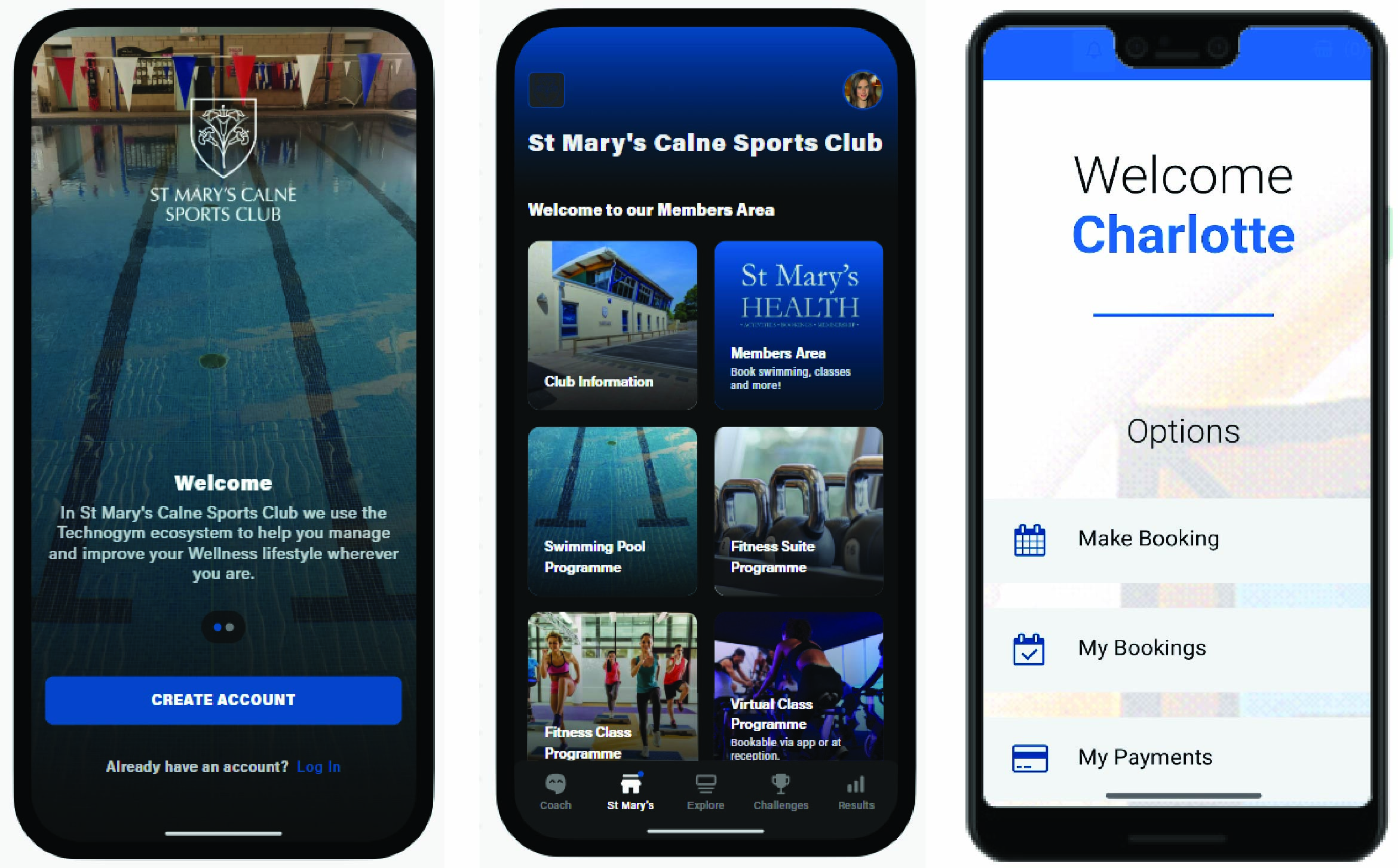
You do not need to create a new account, just look for the 'Already have an account? Log in' option at the bottom of the page. Click on 'Log In' and this will take you to the St Mary's log in where you can enter your email and password that you used when you created your old app.
Once you are logged in, click on the 'St Mary's' area at the bottom of the screen and this will take you to the Members Only area. From here you will find the same information that you were using on the old app, including your St Mary's Health booking system. Click on the 'St Mary's Health' icon and log in as normal to continue to book classes, swim sessions and access your account information. Your previous log in details will not need to be changed and there is no need to create a new account.
If you would like help or experience any problems, please contact Reception who will be happy to go through anything with you.
Using the App

The St Mary's Technogym App has a wide variety of uses, from booking your favourite fitness classes to tracking your workouts, and even synchronising to other smart devices such as an Apple Watch, Fitbit or Garmin with the in-app GPS. Find out more below.
- Fitness Class and Swim Booking: Click on the St Mary's Health icon and you will be redirected to our online booking system.
- Access our latest timetables: You can find our latest timetables on the app, including our group exercise programme, swimming pool and fitness suite.
- Track your movement/activity: Click on the 'Results' button on the toolbar at the bottom to access your workout page and add the activities and exercises you have completed. Click on 'Coach' at the bottom of the page and this will show you your full total of Moves you have achieved. The 'Coach' page will act as your home page when first accessing the app. From here you can explore all the different activities and information that is now available for you and create your own personalised workout for when you are visiting the club.
- Outdoor activity tracking: Connect to third party devices such as Apple Health, FitBit and Garmin to track your lifestyle and outdoor movement with the in-app GPS. From the 'Coach' page, click on your profile at the top of the screen and choose 'Data and Connections' to get connected.
- Connect to gym equipment: Click on the barcode symbol on the top right corner of the app and scan the QR code on any piece of cardiovascular or strength equipment to connect effortlessly. Your workout will be tracked and stored automatically in the 'Results' section for you to view after you're done!



